
Engineering Notes: Training a LoRA for Z-Image Turbo with the Ostris AI Toolkit




Z-Image Turbo’s distilled checkpoint is surprisingly capable on modest GPUs, but adapting it to a new concept efficiently still hinges on how you approach LoRA training. This write-up documents a reproducible configuration for training a Z-Image Turbo LoRA with the Ostris AI Toolkit, the trade-offs that matter (VRAM, rank, schedule), and how to deploy the resulting adapter into inference code or node-based pipelines.
The goal: minimum-friction concept injection with strong identity retention, fast wall-clock time, and predictable outputs.
Consider watching the tutorial on YouTube if you are more of a visual learner.
Model and adapter context
Model: Z-Image Turbo (distilled). It’s optimized for quicker inference/training compared to full-sized bases, with lower VRAM pressure.
Technique: LoRA on the image backbone, not full fine-tuning. This confines updates to low-rank matrices that modulate existing weights.
Training adapter: The Ostris toolkit provides a Z-Image Turbo training adapter. Two variants are relevant:
v1 (default)
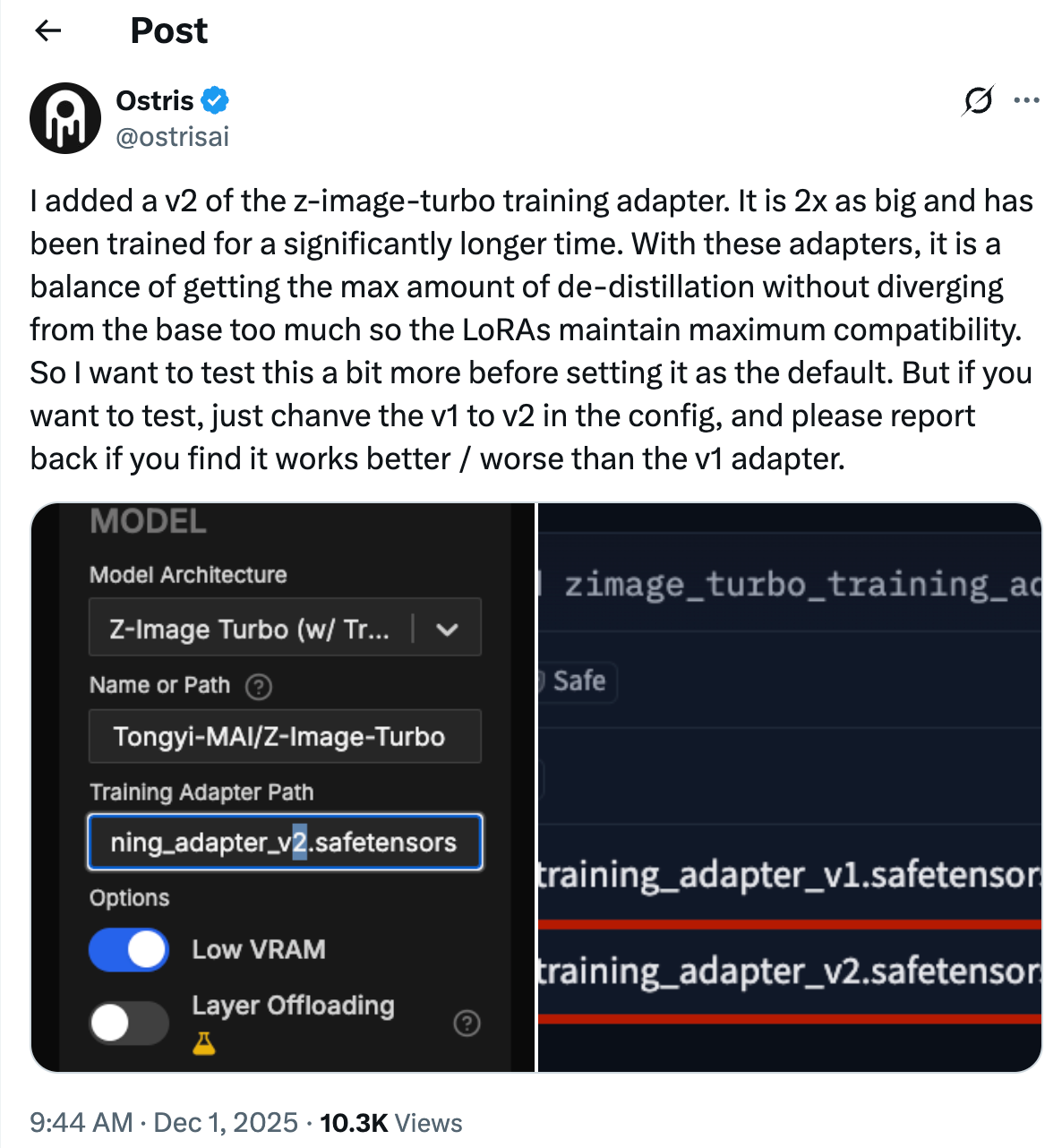
v2 (experimental, mentioned by the toolkit author). Swapping the path from training_adapter_v1.safetensors to training_adapter_v2.safetensors can change training dynamics and quality. Evaluate both on your own data.
Runtime and environment
You can spin up a fully prepared environment using RunPod’s Ostris AI Toolkit template. That removes most dependency pinning and driver headaches, and keeps GPU utilization visible during runs.
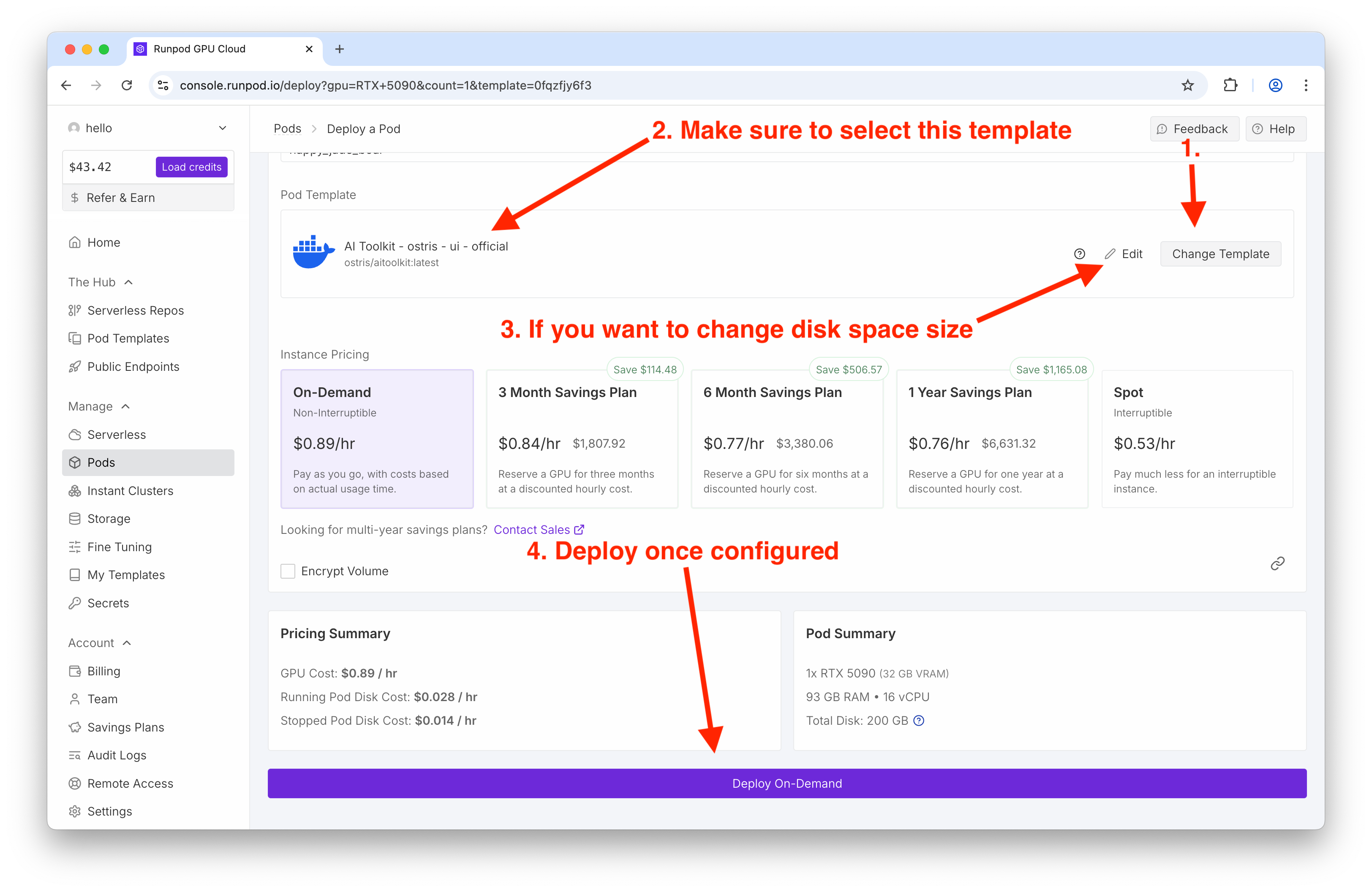
Practical notes:
GPU: An RTX 5090 comfortably trains a 3k-step LoRA in about an hour on default settings. Lower-tier cards still work thanks to the distilled model; enable Low VRAM mode if offered by the UI.
Disk: Allocate >100 GB to avoid transient failures from caching and checkpointing.
Mixed precision: Expect fp16 under the hood; ensure tensor cores are utilized.
Dataset design: fewer, cleaner, higher-resolution images
For rapid personalization, a small, tightly curated dataset is more impactful than a large, noisy one. In tests, nine 1024×1024 images were sufficient to imprint a subject reliably.
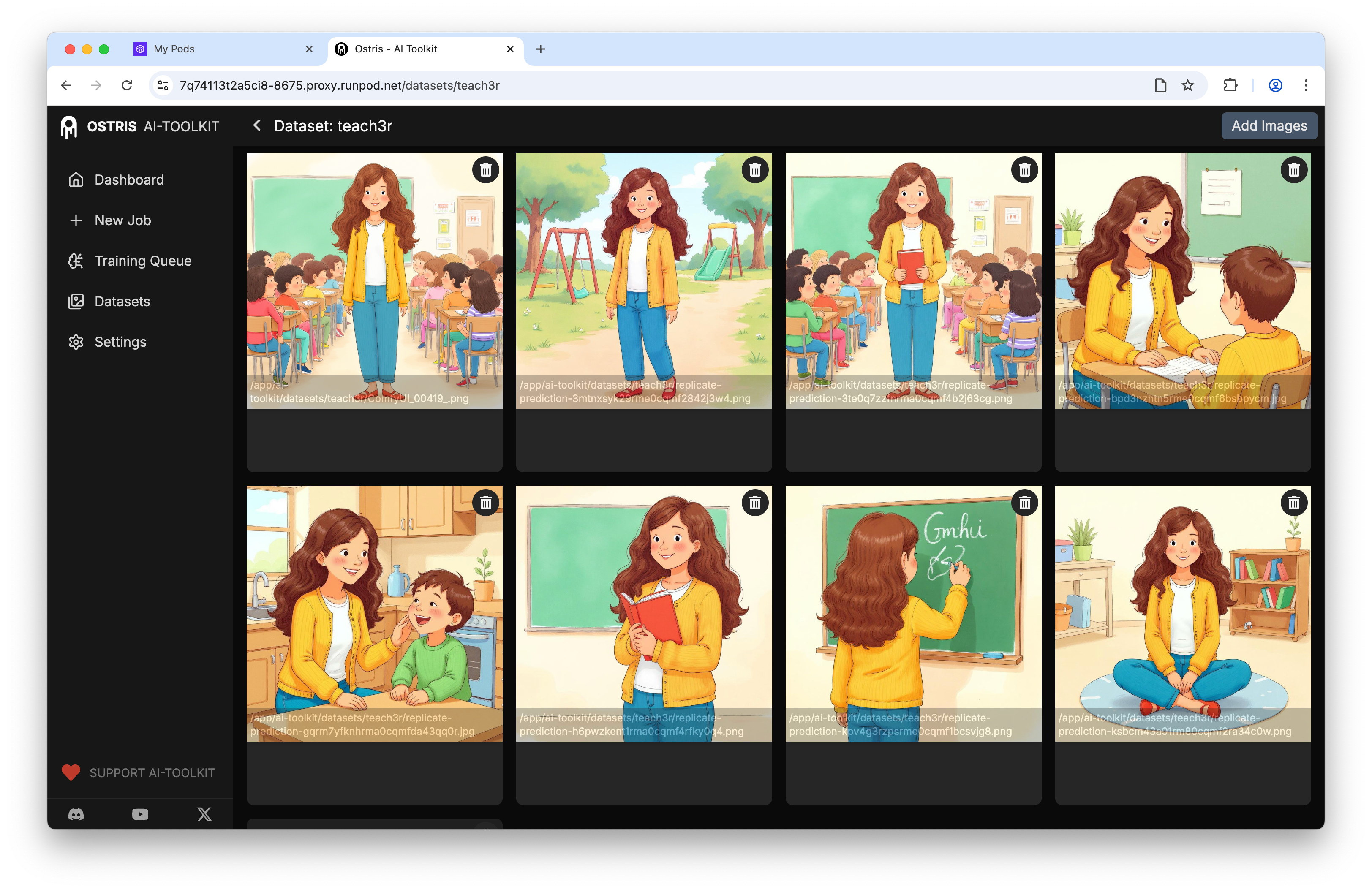
Recommendations:
Image size: 1024×1024 to match Z-Image Turbo’s strengths.
Captions: Optional. If omitted, choose a distinctive trigger token to disambiguate the concept during inference.
Trigger token strategy: Prefer a non-word token (e.g., a short, unique string) to avoid collisions with vocabulary semantics.
Job configuration that balances speed and retention
The Ostris UI exposes everything you need; here’s the anatomy of a sane configuration for the distilled model:
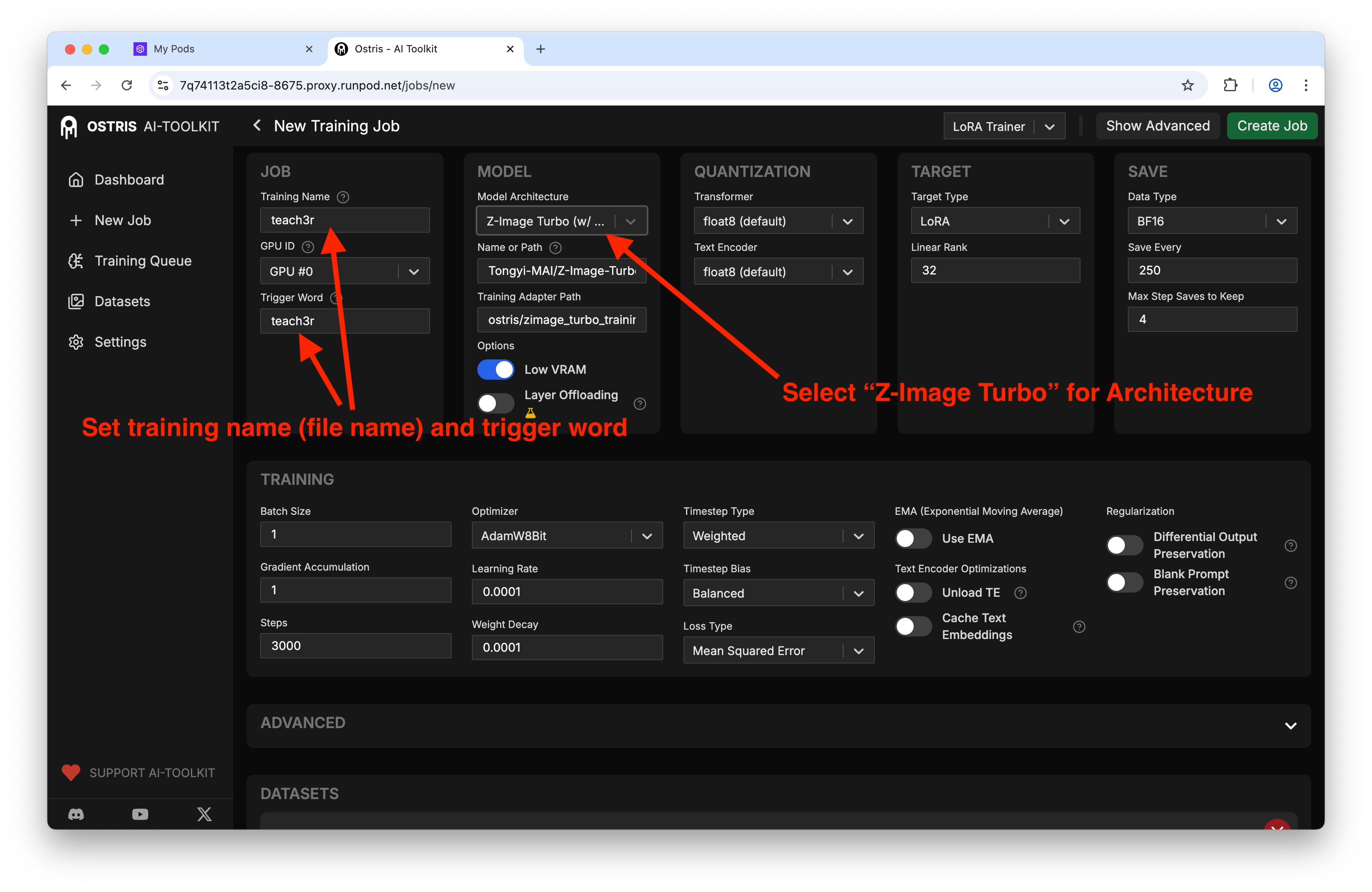
Key parameters and why they matter:
Steps: ~3000 for a 5–15 image dataset is a good starting point. Too low underfits; too high risks overfitting and prompt overdominance.
Batch size: 1–2, depending on VRAM. Larger batches can destabilize identity with such small datasets.
Learning rate: 1e-4 to 5e-5 is typical for LoRA in diffusion backbones. Err low if your dataset has tight identity constraints.
LoRA rank (r): 4–16. Lower r reduces VRAM and file size; higher r increases capacity for style and fine details. Start with r=8 or r=16 if VRAM allows.
Resolution: 1024×1024 to align with Z-Image Turbo’s generative sweet spot.
Training adapter: test v1 and v2; keep everything else constant to compare.
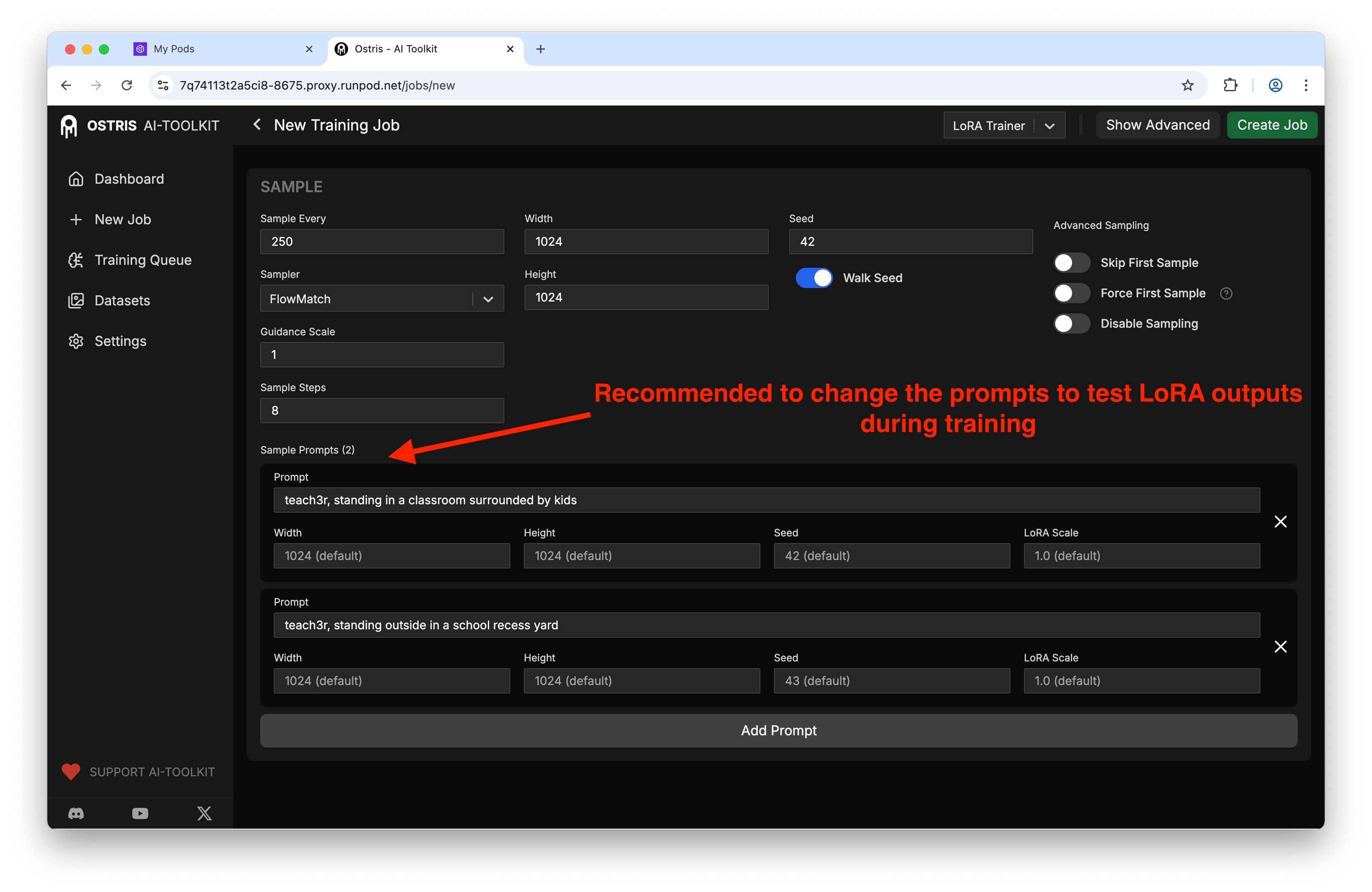
Sampling during training: generate periodic samples (every 200–300 steps) with fixed seeds to observe drift and convergence patterns.
A representative config as JSON (conceptual, matches the Ostris fields):
{
  "model": "z-image-turbo",
  "training_adapter": "/weights/z-image-turbo/training_adapter_v1.safetensors",
  "dataset": "teach3r",
  "image_size": 1024,
  "steps": 3000,
  "batch_size": 1,
  "lr": 0.0001,
  "lora_rank": 8,
  "checkpoint_every": 500,
  "sample": {
    "every": 250,
    "prompts": [
      {"text": "<teach3r>, studio portrait, soft light", "seed": 42, "lora_scale": 0.8},
      {"text": "<teach3r> on a basketball court, golden hour", "seed": 1337, "lora_scale": 1.0}
    ]
  },
  "low_vram": true
}
Note the fixed seeds and varying prompt contexts. The periodic preview images will reveal when the adapter starts to steer the backbone reliably.
You can see the dataset wiring and sampling controls in the UI:
If you want to try the experimental adapter, update the path:
Execution and monitoring
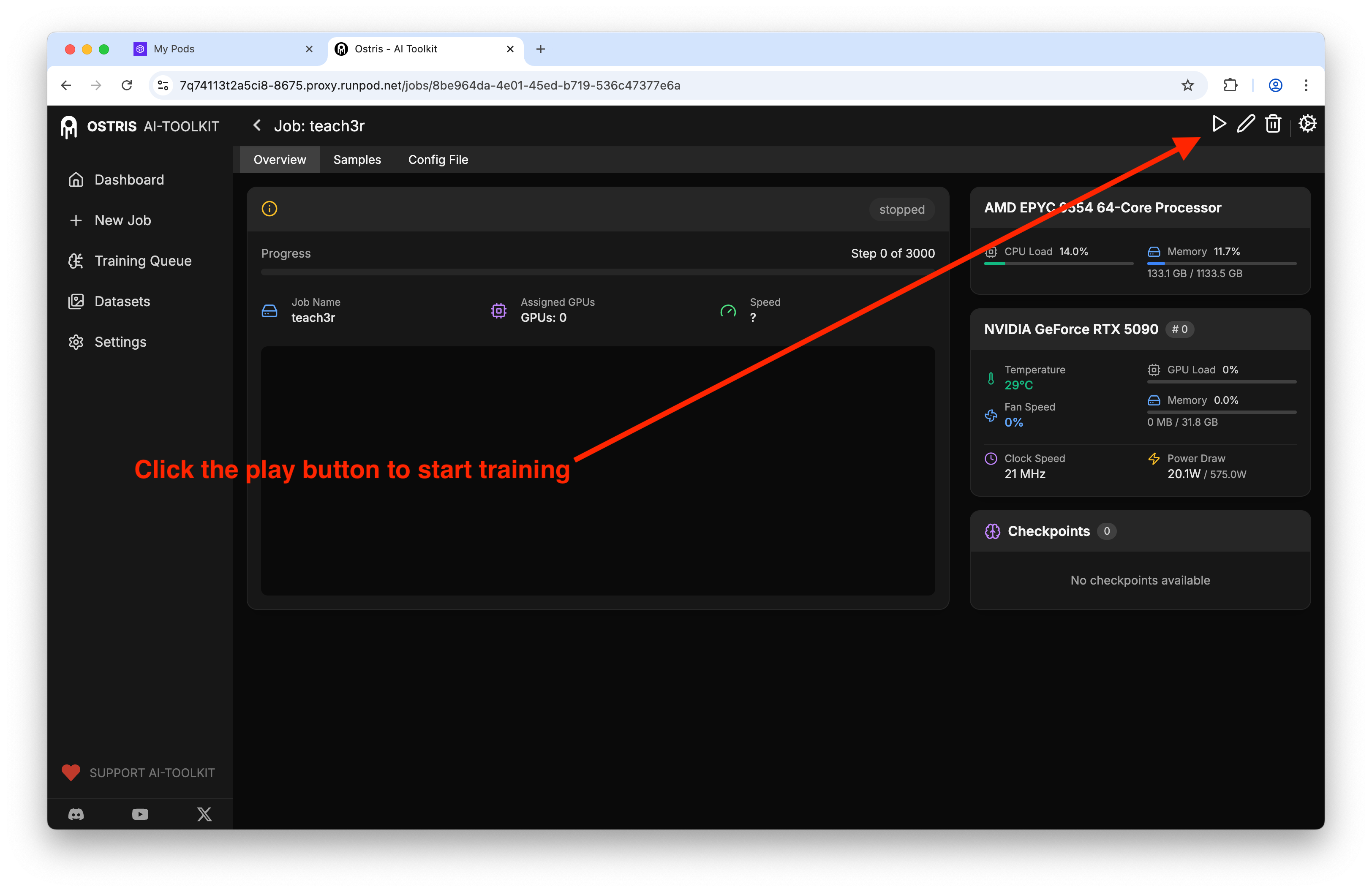
Queue the job and monitor GPU utilization, step time, and sample outputs. With a 5090, default settings typically finish around the one-hour mark for 3k steps.
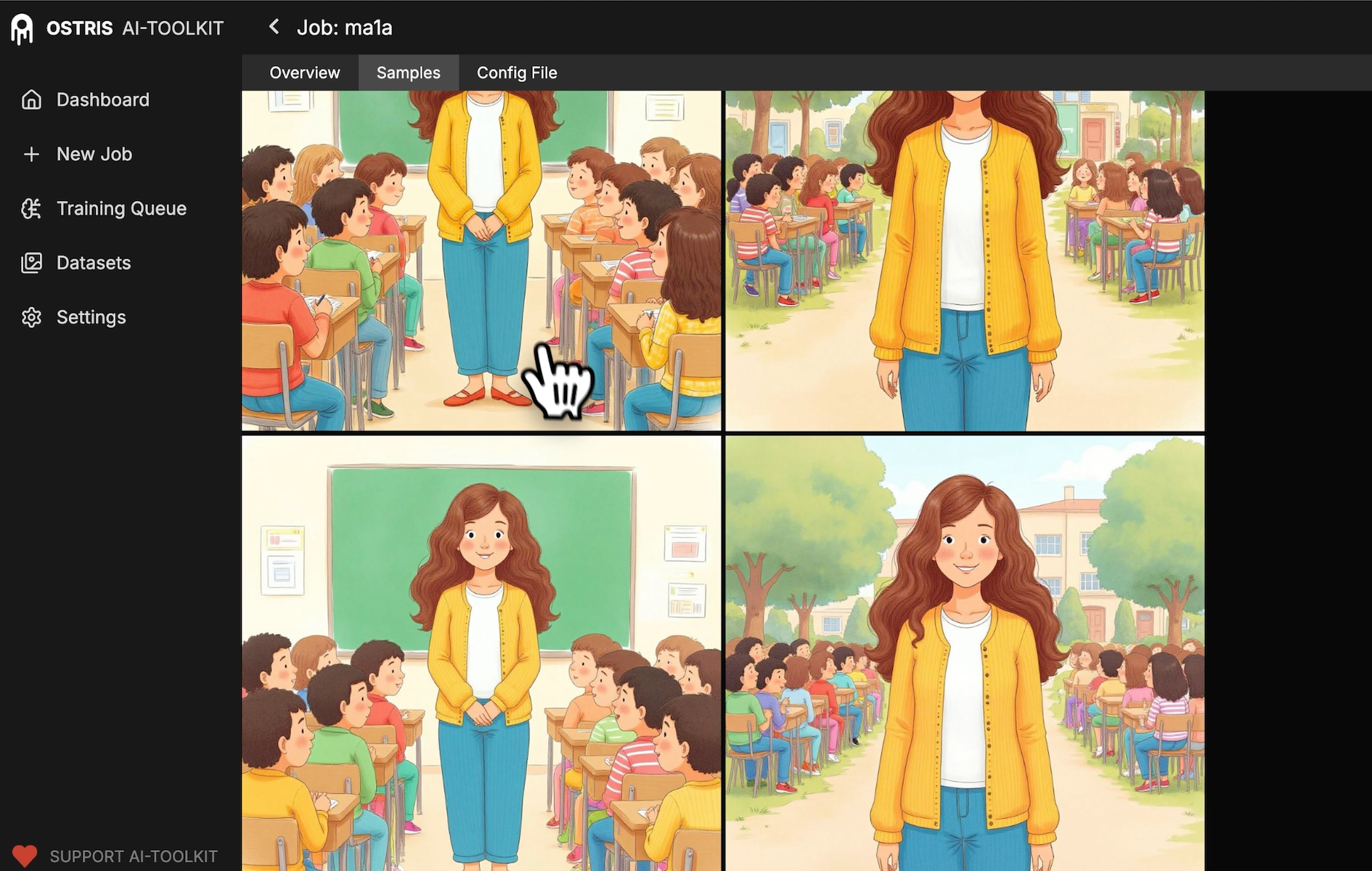
Inspect samples over time to confirm the adapter is learning the identity without collapsing style diversity:
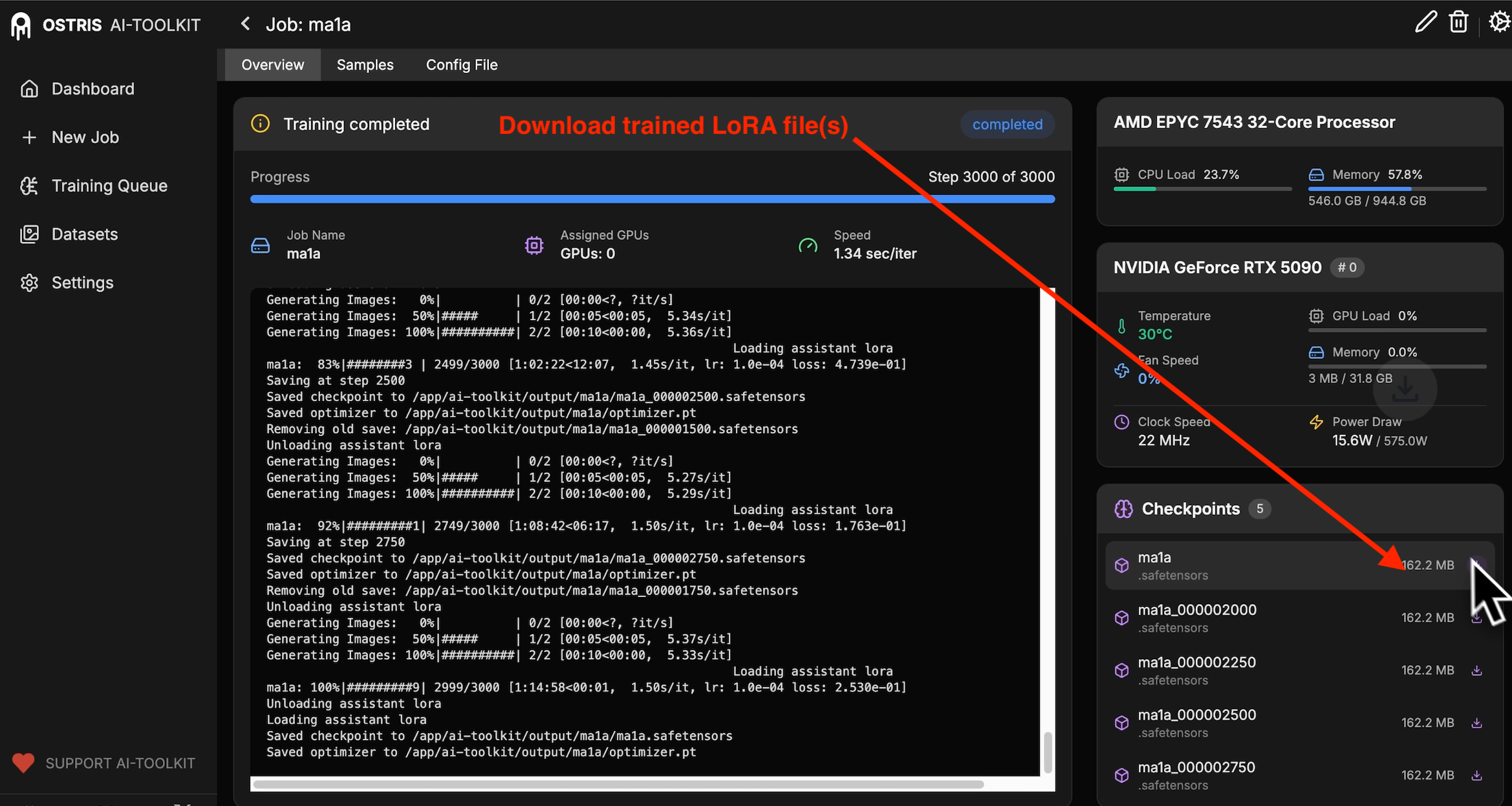
When the run completes, export the latest LoRA checkpoint (.safetensors):
Inference: integrating the LoRA
You can use node-based UIs (e.g., ComfyUI) or code. Here are both patterns.
ComfyUI
An example of injecting the LoRA and prompting the concept:
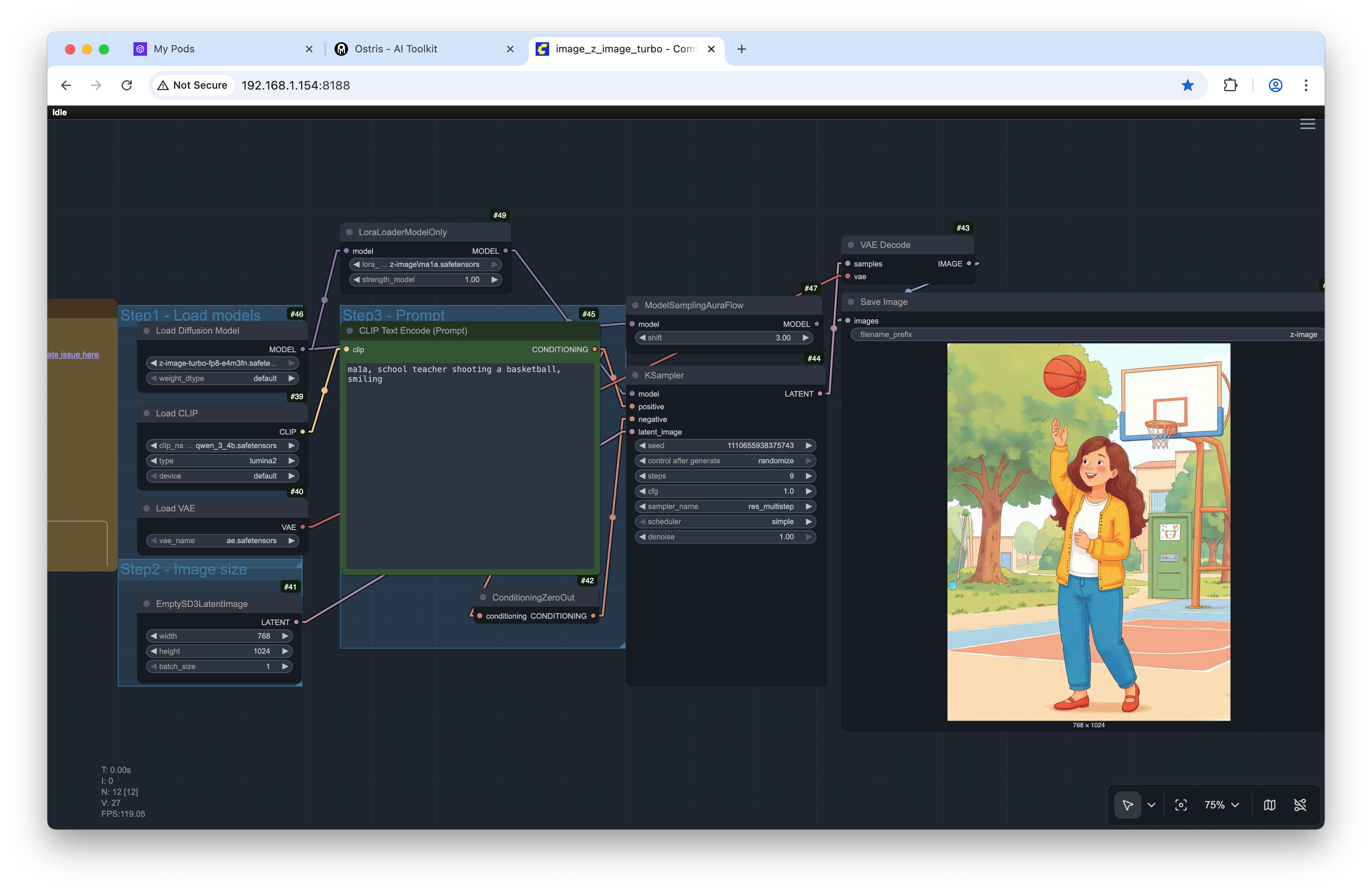
Result:

Hugging Face Diffusers (Python)
If Z-Image Turbo is exposed as a Diffusers pipeline, LoRA integration resembles SD/SDXL:
import torch
from diffusers import AutoPipelineForText2Image

device = "cuda"
dtype = torch.float16

# Replace with the correct Z-Image Turbo repo ID once available on the Hub
pipe = AutoPipelineForText2Image.from_pretrained(
    "Tongyi-MAI/Z-Image-Turbo",
    torch_dtype=dtype,
).to(device)

# Load the LoRA produced by Ostris (safetensors)
pipe.load_lora_weights(
    "./checkpoints/teach3r.safetensors",
    adapter_name="teach3r"
)

# Control influence during inference
pipe.set_adapters(["teach3r"], adapter_weights=[0.8])

prompt = "<teach3r>, school teacher shooting a basketball, smiling, 35mm, golden hour"
generator = torch.Generator(device).manual_seed(42)

image = pipe(
    prompt=prompt,
    num_inference_steps=28,
    guidance_scale=4.5,
    width=1024,
    height=1024,
    generator=generator
).images[0]

image.save("out.png")
Notes:
Use fp16 and enable memory-efficient attention if supported (xFormers/SDPA).
The adapter weight modulates how strongly the LoRA steers the base; sweep 0.5–1.2.
Why these choices work
Distilled backbone + LoRA: Keeps VRAM and training time low while letting you add concept-specific detail without catastrophic forgetting.
1024×1024: Aligns training/inference resolution to avoid resampling artifacts and improve fidelity.
Small dataset, distinctive trigger: Minimizes confusion in the tokenizer and reduces prompt gymnastics at inference time.
Periodic samples with fixed seed: Offers a time series of model behavior; you can halt early if identity stabilizes.
Alternatives and adjacent approaches
DreamBooth full finetune: Higher capacity, higher cost; unnecessary for quick personalization on distilled backbones.
Textual inversion: Lightest weight; works well for styles or attributes, but weaker for strong identity.
Adapter variants: Try training_adapter_v2 for potentially different convergence properties. Keep all other settings identical to isolate its effect.
Reproducibility checklist
Record:
Dataset file list, image resolution, and any augmentations
Trigger token string
Steps, batch size, LR, LoRA rank/alpha
Training adapter version and exact path
Sample prompts, sample cadence, and seeds
Inference seeds, guidance scale, and scheduler
Toolkit/container versions, CUDA driver, PyTorch build
Keep a single JSON/YAML manifest for each run to ensure apples-to-apples comparisons.
Optimization opportunities
LoRA rank sweeps: r ∈ {4, 8, 16}. Evaluate FID-like metrics and human preference for identity/style retention.
Learning rate decay: Cosine or step decay can improve late-stage stability on tiny datasets.
Gradient checkpointing and SDPA/xFormers: Reduce VRAM for multi-image batches.
Data augmentation: Subtle color jitter and random crop can improve generalization without degrading identity.
Prior preservation: If the adapter overpowers prompts, consider adding generic negatives or regularization images.
Scheduler selection: Euler vs DPM++ at inference can change sharpness and coherence; keep it fixed during A/Bs.
Mixed precision accuracy: Validate numerics on lower-tier GPUs; if artifacts appear, try bf16 if supported.
Once the base Z-Image model lands publicly, expect even broader headroom for fine-tuning strategies. For now, the distilled + LoRA route offers a fast, pragmatic path to high-quality personalization on commodity hardware.